Version 1.26
New features for the eBike Flow app

More eBikes, more comfort, more overview
It's finally here! The update that many of our eBikers have been wanting for a long time: The eBike Flow app can be used as a digital garage. Manage up to six eBikes and easily switch back and forth between them. Discover the new features and further improvements of the eBike Flow app version 1.26 now.¹

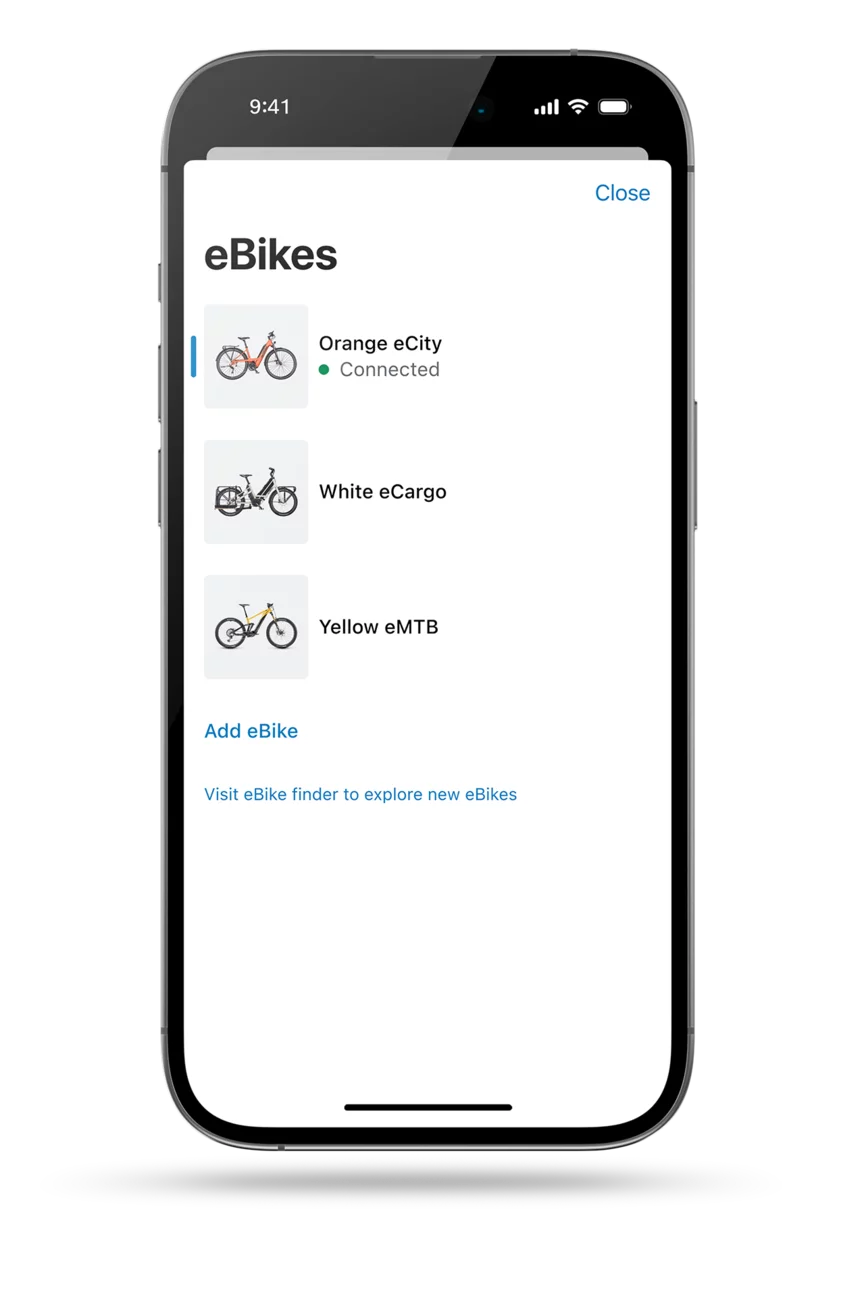
One account – several eBikes: The eBike Flow app is your digital garage.
Whether it's an eGravel ride at the weekend or picking up the kids with the Cargo eBike – do you have several eBikes for different situations? With immediate effect, the eBike Flow app can be used as a digital garage, as you can add up to six eBikes to your account. A new service on the home screen allows you to manage all your eBikes.
Here's how it works: Once you have connected your first eBike to the eBike Flow app, a new button appears in the top left-hand corner of the home screen. This will take you to the overview where you can manage all your eBikes. Name your eBikes individually so that you can distinguish between them more easily. In the eBike Flow app settings, you can define your own name using the pen icon.
To make full use of all the functions of the eBike Flow app, such as digital theft protection with eBike Lock or updates over-the-air, you need to register each of your eBikes. You can continue to use your functions as usual. The respective configuration of your eBikes is retained.
If you want to analyse your ride data, you should note the following: The information on the home screen relates to your selected eBike. However, your activities, which you can find under Statistics, are linked to your account and relate to your rides, regardless of which eBike you use.
You can also use our Flow+ premium services with all your eBikes. Would you like to experience the full range of services of Flow+? A ConnectModule must be installed on the respective eBike for the eBike Alarm or the current charge level. You can easily check whether your selected eBike is equipped with this in the eBike Flow app: via the cogwheel icon > eBike pass > Components.

All important settings can be accessed even faster
We improve the eBike Flow app with every update to make it even easier for you to use. The latest customisations: You can now find all eBike-related settings in the home screen at the top right behind the cogwheel icon. There you can customise your eBike as usual or adjust your riding modes to your individual needs. Your profile settings, including the options for Flow+, can now be found at the bottom right of your screen under "Profile".
eShift with TRP: Store shifter in the eBike pass
Is your eBike equipped with the eShift electric gear shifting solution with TRP? You can now save the TRP shifter as a component in your eBike pass in the eBike Flow app. With the eBike pass, you can keep track of all the important information about your eBike – so you always have all the data to hand.


Note: In some cases it can take several days until the update is displayed in the Apple App Store or Google Play Store.
After downloading the new version of the eBike Flow app, you can update your eBike with the smart system using the eBike Flow app. This way you can take advantage of all the features and improvements we have listed here. Please ensure that all the components are attached to your eBike before updating it.
Back


