Version 1.28
New features for the eBike Flow app

Ready for more: More powerful, more personal and more practical
Discover what your eBike can do. This update for the eBike Flow app is full of helpful functions that make your eBike more versatile – and every ride more enjoyable. With the performance upgrade and the new eMTB+ riding mode, you determine your riding experience – from smooth and enduring to powerful and dynamic. We are also adding four new premium services to our Flow+ subscription : Share your eBike with up to five people, and protect your battery with Battery Lock – without complications. Keep an overview at all times, thanks to the new Annual overview and optimized 3D map display for the ride screen.

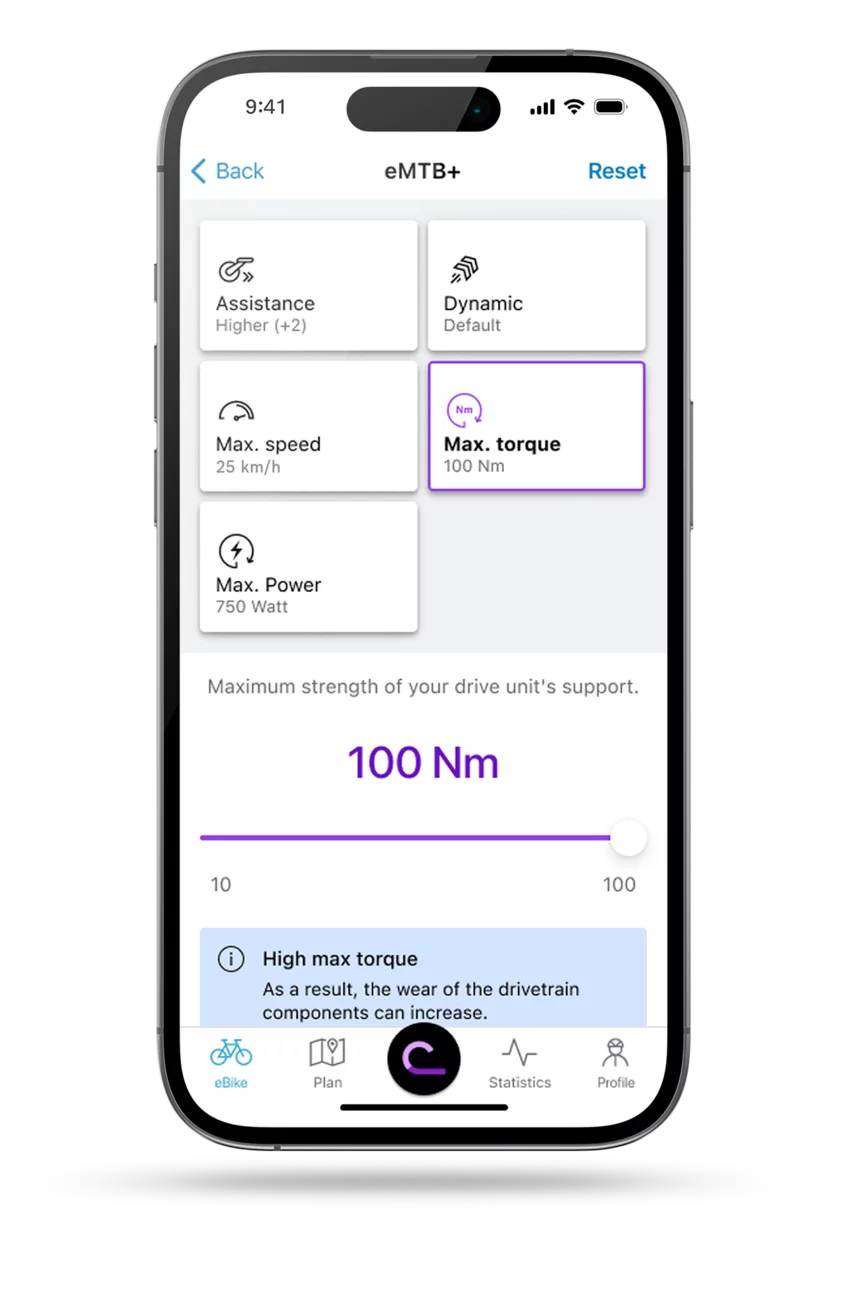
More power when it counts. In everyday life and for your adventures.
Our Drive Units are becoming more powerful: More performance, more torque, or more support. At the moment you need it – or all the time. Because you decide whether and when to set these performance values in the eBike Flow app. This allows you to adjust your motor precisely to your needs and the distance required.
You can adjust the performance values for the following Drive Units of the smart system:¹
- Cargo Line (BDU384Y)
- Performance Line PX (BDU347Y)
- Performance Line Speed (BDU388Y)
- Performance Line CX (BDU384Y)
- Performance Line CX (BDU374Y)
- Performance Line SX (BDU314Y) (from fall 2025)
This is how it works: After you have updated your eBike, you can set the performance values via the custom riding modes in the eBike Flow app. The individual values can be adjusted using Sliders. A new Tile: “Max. power (watts)”. It appears automatically as soon as you have updated your eBike. Here you can individually set the maximum power in 25 watt increments.
Note: If you have an eBike with Performance Line CX (BDU384Y), you may need to follow additional steps. Follow the instructions in the eBike Flow app.

Power meets Control. The best of both worlds.
With the new eMTB+ riding mode, you can experience dynamic support right up to the limit. It combines the precise controllability of the eMTB mode with the full power of Race mode, and bridges the gap between the two modes – with maximum support of 400%. The Extended Boost can be sensitively controlled as in eMTB mode, and can unleash the full power as in Race mode. This is because it develops its power in a natural and agile manner, depending on your pedal input. Transfer the eMTB+ mode to your eBike via the custom riding modes in the eBike Flow app and configure it according to your requirements.
The eMTB+ mode is available for Performance Line CX (BDU384Y), Performance Line CX (BDU374Y), Performance Line CX-R (BDU386Y) and Performance Line CX Race Limited Edition (BDU376Y). For the Performance Line SX (BDU314Y) from fall 2025.
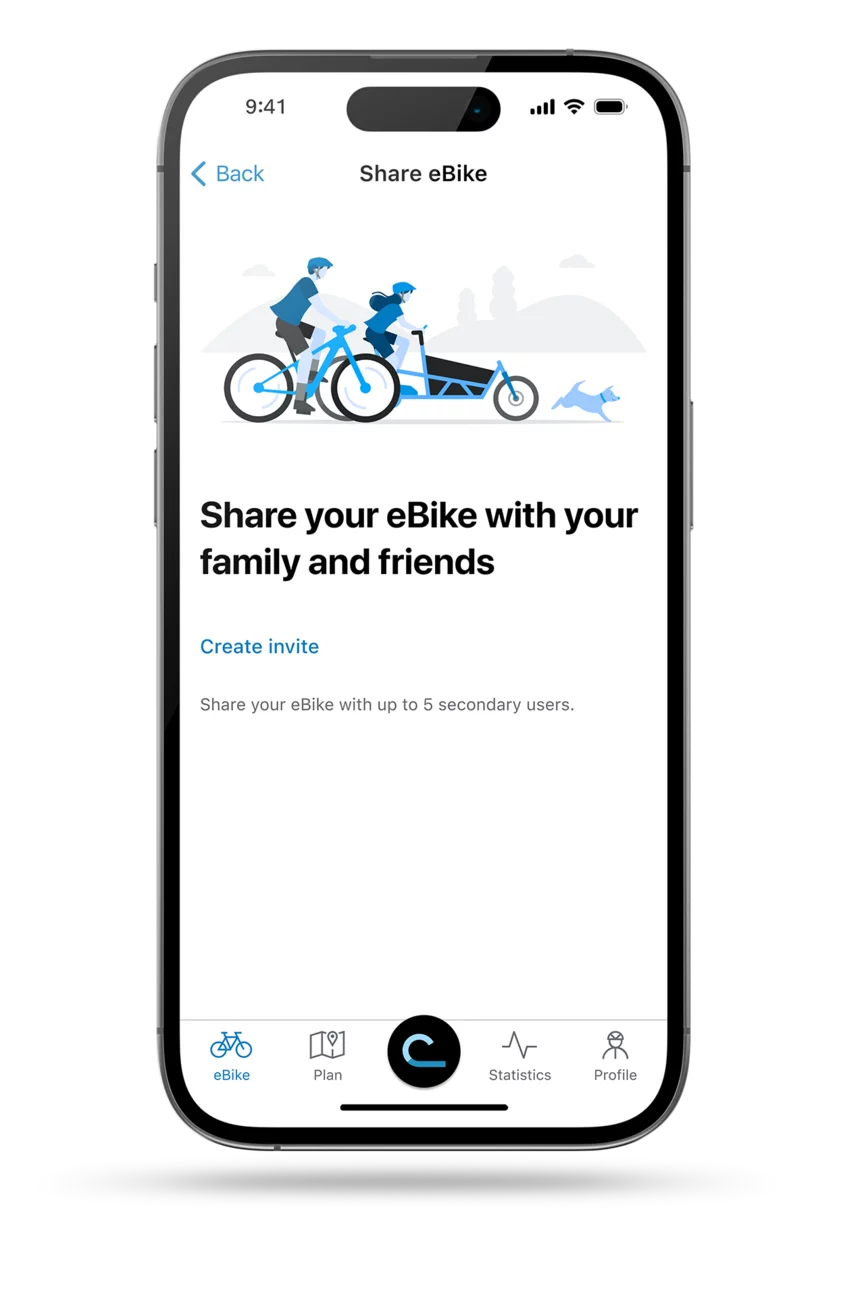
Share your eBike. Sharing with family and friends.
Sharing is fun. And that's true of biking too. Starting now you can share your eBike with up to five individuals. So they too can enjoy an even better riding experience with the eBike Flow app. To share your eBike with friends and family, you are the only one needing a Flow+ subscription – not the invited Secondary users. You stay in control as the Main user. You are the only one who can activate or deactivate important functions, adjust basic settings, carry out over-the-air updates and store data in the eBike Pass.
It’s that simple: The invitation is sent via a link that you can create directly in the eBike Flow app. To send the invitation link, open the menu item “Share eBike” in the eBike settings and tap on “Create invitation.” When the invited Secondary users accept the invitation and connect the eBike, they can use the functions of the eBike Flow app.

Lock the battery digitally. Park your eBike with even greater assurance.
With Battery Lock, you can also digitally protect your eBike battery: If it is stolen, this function deactivates your battery and makes it useless to thieves. This way you can protect one of the most expensive components on your eBike and park it with more peace of mind. You get Battery Lock exclusively with the Flow+ subscription.
This is how it works: In the settings of “Lock & Alarm” you can select the battery you want to lock. Battery Lock is activated automatically as soon as you switch off your eBike or remove your display – just like eBike Lock.
You stay flexible thanks to several digital keys that you can use simultaneously: Your smartphone with the eBike Flow app and your Kiox 300 or Kiox 500. With the eBike Flow app, you can flexibly manage your digital keys at any time – or switch off Battery Lock in the settings of “Lock & Alarm” if you want to share your battery with friends, for example.
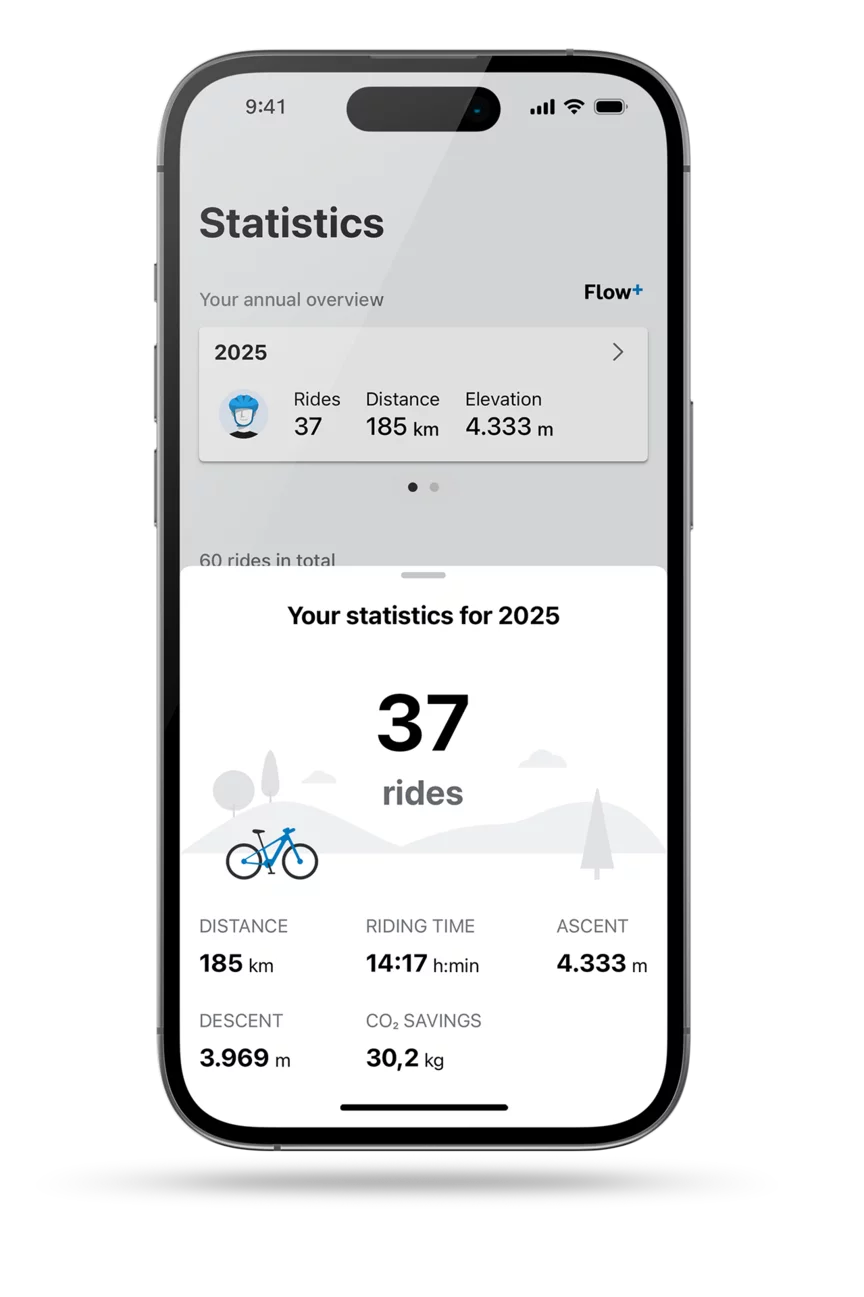
Your Annual overview at a glance
Flow+ gives you an Annual overview of your rides. So you can track your progress over the years. The overview of the most important riding data by year is right at the top of your statistics. It includes the total number of trips, the distance covered, the trip time and the elevation. You can also see how much CO2 you have saved. These valuable statistics are linked to your Account and apply to all eBikes registered in the eBike Flow app.

Your route. In 3D.
The ride screen now offers you a 3D map display of the terrain. Regardless of whether you are climbing a mountain or enjoying nature on flat terrain: You can see a graphic visualization of the elevation profile of your immediate surroundings. You can find your way around the city even better thanks to the 3D representation of prominent buildings. You can also use the 3D map display without active navigation and for route planning. This premium service is available to you with the Flow+ subscription.


The Cargo Line (BDU384Y) comes with the performance values 85 Nm, 600 watts, and 400% support as standard. The Performance Line PX (BDU347Y) comes with the performance values 85 Nm, 600 watts, and 340% support as standard. The Performance Line Speed (BDU388Y) comes with the performance values 100 Nm, 750 watts, and 340% support as standard. The Performance Line CX-R (BDU386Y) comes with the performance values 100 Nm, 750 watts, and 400% support as standard. The Performance Line CX (BDU384Y) comes with the performance values 85 Nm, 600 watts, and 340% support as standard. The Performance Line CX (BDU374Y) is still delivered with a maximum of 340% support as standard. Support can be increased to up to 400% in the custom riding modes using the eBike Flow app. The Performance Line SX (BDU314Y) is delivered with the performance values 55 Nm, 600 watts, and 340% support as standard.
Note: In some cases, it can take several days before the update is displayed in the Apple App Store or Google Play Store.
After you have downloaded the new version of the eBike Flow app, update your eBike with the smart system using the eBike Flow app. This way you can take advantage of all the features and improvements we have listed here. When doing this, please make sure that all components are attached to your eBike before you update it.
Back


