Version 1.30
New functions for the eBike Flow app

Customising, easy shifting and arriving without detours
Every ride is different. Every route is unique. That's why this update for the eBike Flow app will help you to make your eBike experience even more personalised. Now you can increase the performance values of your Performance Line SX (BDU314Y) and also customise the screens of your Kiox 400C. Do you use imported routes in the eBike Flow app? Now on you can follow them exactly – without automatic rerouting. If you have eShift on your eBike with the smart system, you can access many new functions. And if something is wrong with your eBike, error messages now appear as a QR code on your display. Scanning it will take you to our Help Center and to the right solution even faster.

More power when it counts.
The Performance Line SX (BDU314Y) is increasing in strength. You can select up to 400% support and 60 Nm torque in the custom riding modes of the eBike Flow app¹ when you want it – or permanently. The higher torque gives you better acceleration. The increased support quadruples your rider power.
Make your display unique
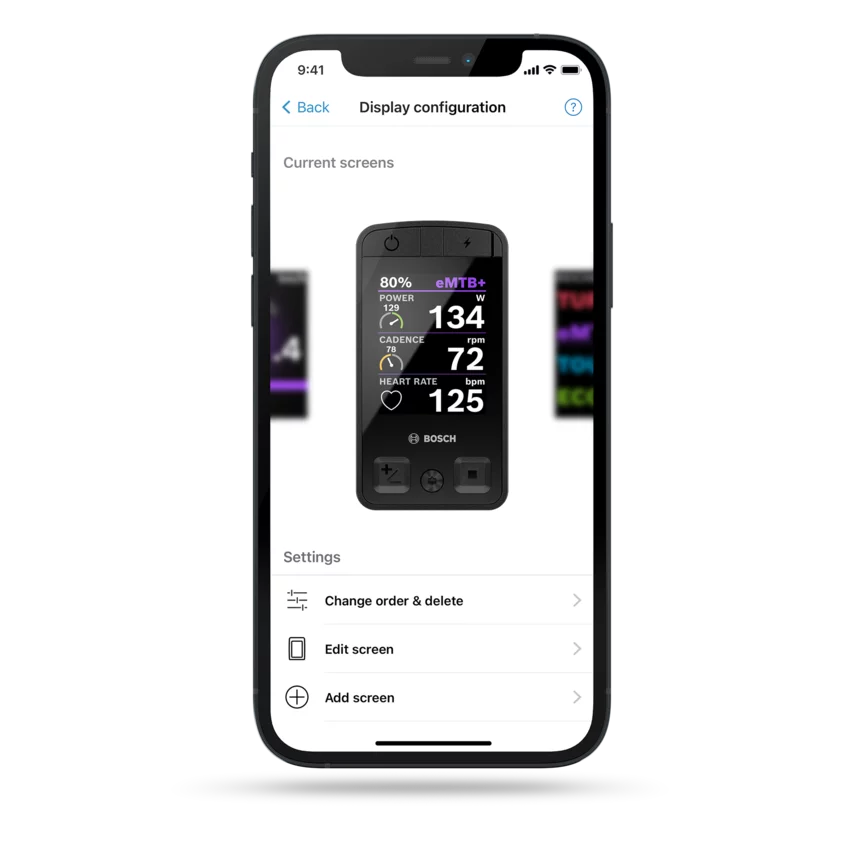
The Kiox 400C always shows you exactly the information you need – so that you can focus on the trail. You can now configure your display to suit your preferences via the eBike Flow app – as with the Kiox 300 and Kiox 500. With over 30 customisation options, you decide for yourself what you see on your display while riding.
For the Kiox 300, Kiox 500 and Kiox 400C, you can now decide precisely how the tiles are arranged on your display. With nine new configuration options, you can make your display even more personalised – and arrange the information exactly as you want it when you're riding. This ensures you always have an overview of what is important to you.
In the settings of the eBike Flow app, you can use the "Display configuration" function to add content and change or delete screens as normal and also decide on the order and arrangement of the screens yourself.

Follow your original route
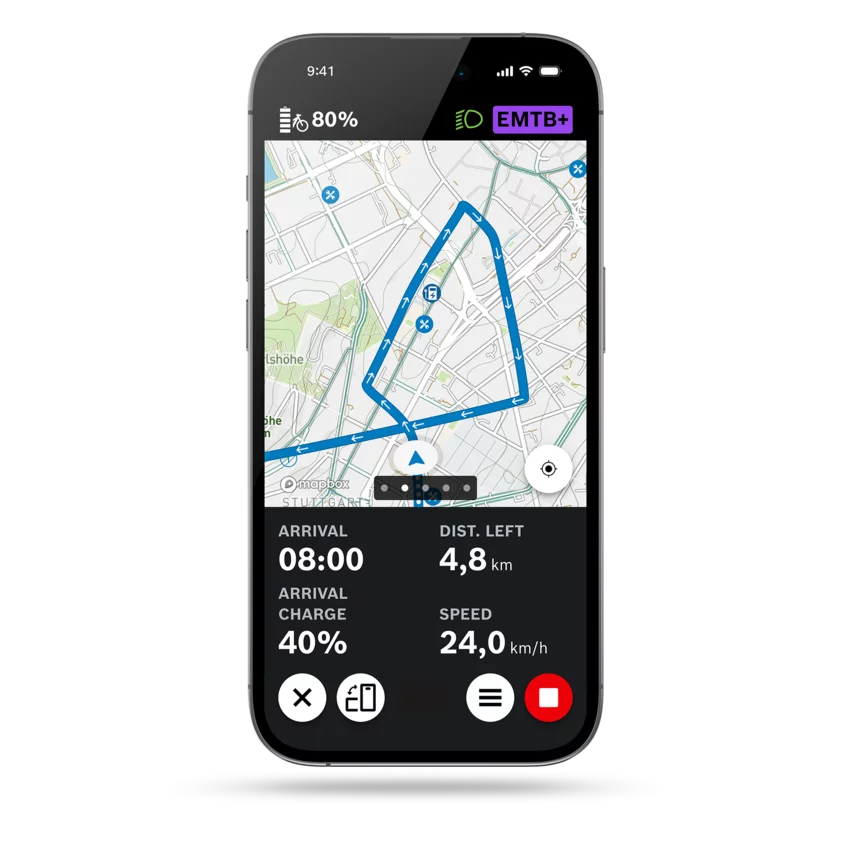
Import your route, for example from komoot, and follow it exactly – without automatic rerouting. With the new "Follow original route" button, you can ensure that you stay on the route you originally planned – even if it takes you along unknown paths. This means you can follow exactly the same route as your friends, for example. You see only the route line on your display and you navigate without voice navigation and turn-by-turn directions.
The "Follow original route" button is displayed in the settings of your imported route. When you activate it, you will receive a warning that the route may contain sections that are difficult to ride.
Shift even more easily and flexibly with eShift
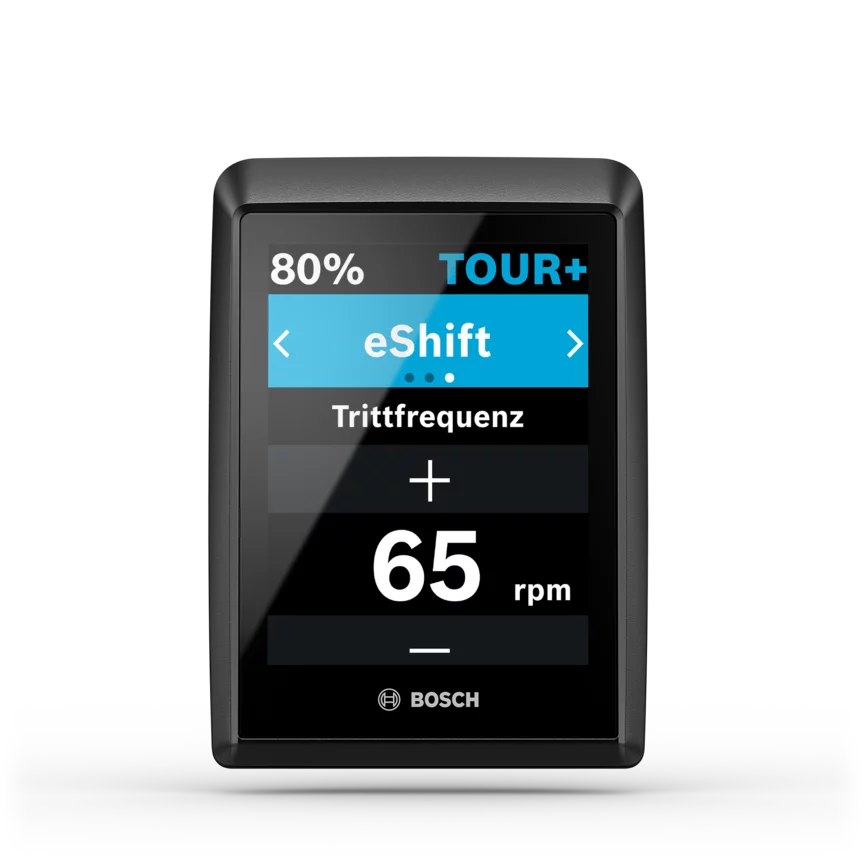
Our eShift portfolio continues to grow and many new functions are now available for eBikes with the smart system. With our new solutions, you can shift gears even more easily – and can be even more flexible when choosing your eBike.
- M+ for eShift: M+ adds another automatic function to eShift when you shift manually yourself. M+ automatically shifts gears for you when you're freewheeling. While you pedal, you shift gears yourself as usual.
- Extended and improved automatic function: eShift now reacts more directly to inclines, changes gears more quickly to suit the riding dynamics and shifts more smoothly.
- Automatic shifting with Shimano: eShift is now also available with Shimano hub and derailleur gear systems. In addition, eShift also supports the performance XTR Di2 derailleur gear systems from Shimano and Shimano DEORE XT Di2 and adds to the range of functions of the Shimano NEXUS Di2 hub gear systems.
- Automatic shifting with Rohloff: With the Rohloff E-14 gear shifting system, you can now decide whether eShift should shift for you or whether you want to shift yourself.
In the settings of the eBike Flow app, you can add the appropriate eShift solution via Components > "eShift".

Find the right solution even faster
An error code is now shown as a QR code on your display. You can simply scan the QR code – and the appropriate page will open in the Help Center with a description and possible solution steps.
Select your specialist dealer
On the home screen of the eBike Flow app, you can now select your preferred Bosch eBike dealer, which means that you can access all their important contact details quickly. Your trusted dealer can also make this setting now in their Bosch diagnostics software. But ultimately it's up to you to decide who your favourite specialist dealer is.


Maximum values: Deviations possible, depending on the hub gear system and battery. Higher performance values also mean higher wear and a lower range – we leave this individual decision to you. The eBike manufacturer can set a limit in the factory on the maximum performance values. The “Y” in the product code is a placeholder and may contain a different number depending on the model, e.g. BDU3140.
Note: In some cases it can take several days until the update is displayed in the Apple AppStore or Google Play Store.
After downloading the new version of the eBike Flow app, you can update your eBike with the smart system using the eBike Flow app. This way you can take advantage of all the features and improvements we have listed here. Please ensure that all the components are attached to your eBike before updating it.
Back


