Version 1.34
New functions for the eBike Flow app and the smart system.

Your ride. Your statistics. Your story.
The trail becomes a challenge, the route an adventure. Want to know what you're made of? Challenge yourself, analyse your performance and keep getting better. The new Trick Check function automatically recognises Jumps, Wheelies, Manuals and Stoppies. After your ride, you can see your tricks in the eBike Flow app. Now you can also find your heart rate data for your ride in the statistics. But your story doesn't end on the trail. You can record your favourite places and save them in the eBike Flow app, making every ride a personal story.


More skills. More fun.
Improve your skills and analyse your performance: Trick Check automatically recognises and records the type of trick, from Jumps and Stoppies to Manuals and Wheelies.¹ It gives you direct feedback on the display and via an audible signal to help you improve your riding technique. During your ride, you can see the distance, duration, altitude or angle on your display for eight seconds at a time. After your ride, you'll find your best performances in the eBike Flow app.
The function is activated as standard on the Kiox 400C and Purion 400.² On all other displays, you can activate it whenever you want in the display settings³ and switch the audible signal on and off. The sensor system is set up only to respond to obvious tricks.⁴

Your heartbeat. Your performance.
Make your training even more effective by analysing your heart rate after your ride. You can already connect your heart rate monitor to your eBike via Bluetooth and track your heart rate on your display during your ride.³ Now the data will be saved in the eBike Flow app. This means that you can analyse your heart rate in detail in the statistics after your ride.
To do this, go to the "Statistics" menu item in the eBike Flow app and select a ride. You can see your average heart rate and the changes in your heart rate during the ride.
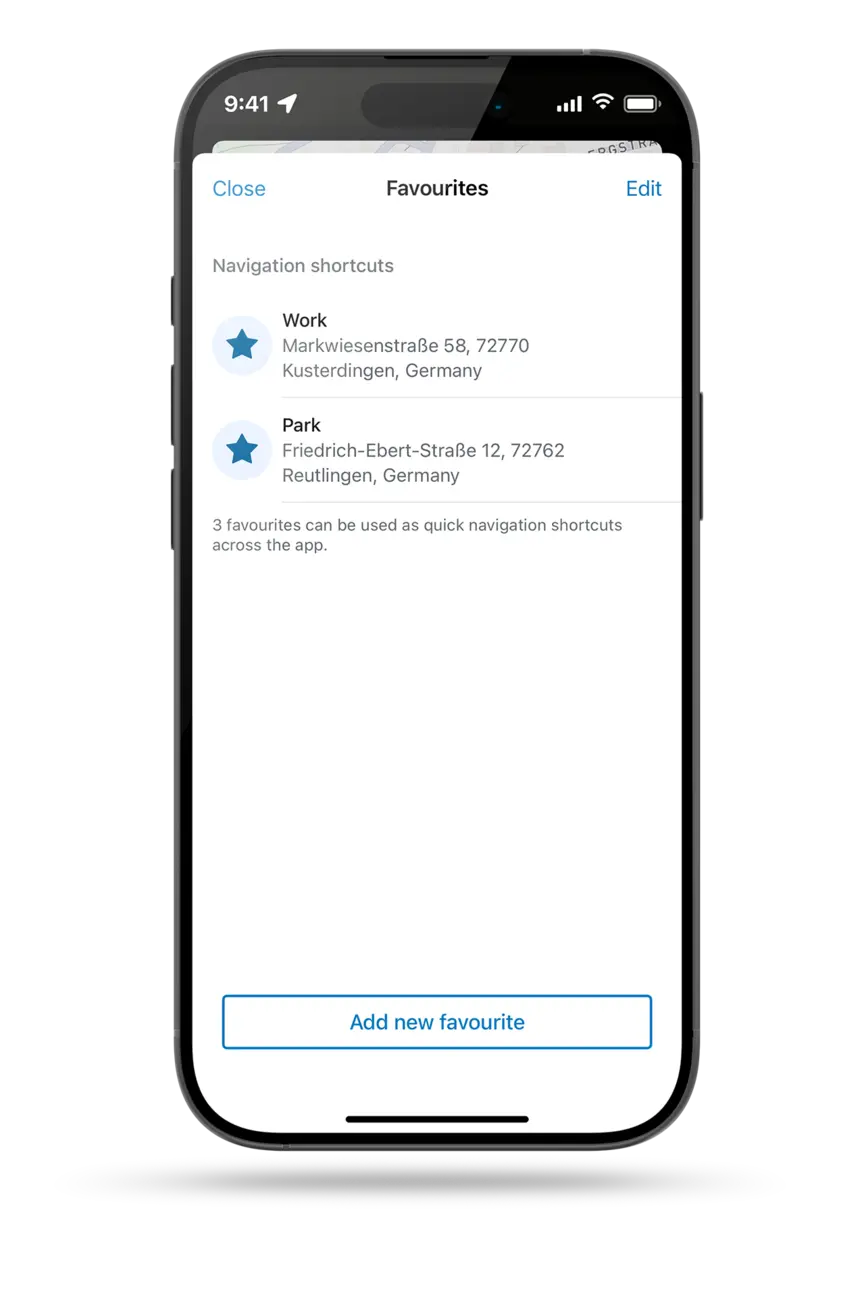
Save your favourites
When you're planning your route, you can add places as favourites in the eBike Flow app – for example, your home, your workplace or the location of your favourite ride. In the "Plan" menu item, you can add up to three favourite places as navigation shortcuts via the new button on the map. On your next ride, select them in the quick menu of your ride screen or your Kiox 300, Kiox 400C or Kiox 500 display and make starting your route even easier.
eShift with Gearsensor
Enjoy manual gear changes that feel beautifully smooth – wherever you're going. eShift supports mechanical hub and derailleur gears that are fitted with the GS shifting solution from Gearsensor for manual shifting. This briefly interrupts motor support while you are shifting gear, making gear changes feel more comfortable.
The Gearsensor eShift solution is now in the eBike Flow app. You can find this function in the eBike Flow app settings under My eBike > eShift.
Improvements to eBike Lock
We have improved more functions of the eBike Flow app in this version. For example, if you use eBike Lock with your phone as the key, you can now unlock your eBike twice as quickly.


Trick Check works with the Performance Line CX (BDU384Y), Performance Line CX-R (BDU384Y), Performance Line CX Race (BDU374Y), Performance Line CX (BDU374Y) and Performance Line SX (BDU314Y) and on the following displays: Kiox 300, Kiox 400C, Kiox 500, Purion 200, Purion 400.
BackIf Trick Check is not already activated, you can activate it on the display under "Settings > Display > Trick Check".
BackNot available for the Intuvia 100
BackThe minimum requirements for obvious tricks are: Jump (distance > 0.5 m, duration > 0.15 s), Wheelie/Manual (distance > 2 m, angle > 15°, speed > 5 km/h), Stoppie (angle depending on the speed, duration > 0.3 s).
Note: In some cases it can take several days until the update is displayed in the Apple AppStore or Google Play Store.
After downloading the new version of the eBike Flow app, you can update your eBike with the smart system using the eBike Flow app. This means you can take advantage of all the features and improvements we have listed here. Please make sure that all the components are attached to your eBike before you update it.
Back


